


Last Updated: October 30, 2026
Quick Summary
The best home theater projector under 500 dollars for most people is the Mini 4K Smart Projector with WiFi 6 at $144.09, which offers 1080p native resolution with 4K support and built-in Android 11 streaming. For dim rooms, the Vista Pro HY300 at $211.67 is a solid 720p option, while the Portable Small Projector at $176.59 wins for portability.
- The Mini 4K Smart Projector carries 1080p native resolution with 4K support, not native 4K projection.
- The Vista Pro HY300 delivers 720p resolution at 1280 x 720 with 120 ANSI lumens of brightness.
- Native 1080p stays crisp up to about 120 inches at a 10-foot seating distance.
- A 720p projector looks its best on a 60- to 80-inch screen in a dark room.
- Look for the word ANSI next to the lumen number, since marketing lumens often run two to four times higher.
Table of Contents
- Quick Comparison: Best Home Theater Projectors Under $500
- 1. Mini 4K Smart Projector with WiFi 6: Best Overall
- 2. Vista Pro HY300 Smart Home HD Projector: Best for Dim Rooms
- 3. Portable Small Projector: Best for Portability
- Why a 1080p Projector Under $500 Still Makes Sense
- Projector Brightness for Home Theater: What Lumens Really Mean
- Projector With Built-In Streaming: Skip the Extra Stick
- Wireless Phone-to-Projector Connection: Mirror in Seconds
- Frequently Asked Questions
Quick Comparison: Best Home Theater Projectors Under $500
Finding the best home theater projector under 500 dollars in 2026 means balancing brightness, resolution, and streaming convenience against a hard budget ceiling. Home entertainment gear for people who want a real cinema feel without a five-figure install. Each pick below wins for a different room and viewer.
Here is the short version before the details:
| Projector | Price | Native Resolution | Best For | Built-In Streaming |
|---|---|---|---|---|
| Mini 4K Smart Projector with WiFi 6 | $144.09 | 1080p (4K support) | Best overall | Yes, Android 11 |
| Vista Pro HY300 Smart Home HD Projector | $211.67 | 720p | Best for dim rooms | No |
| Portable Small Projector | $176.59 | 720p | Best for portability | No |
We focused on what actually changes the viewing experience: native resolution, light output, placement handling, and whether you need extra hardware to stream. According to Consumer Technology Association guidance on display specs, brightness and resolution are the two figures shoppers should verify before buying, because marketing labels often blur the line between supported and native specs.
1. Mini 4K Smart Projector with WiFi 6: Best Overall
Our top pick is the Mini 4K Smart Projector with WiFi 6 and Bluetooth, and it earns that spot on flexibility as much as picture. It carries 1080p native resolution with 4K support, and the built-in Android 11 system is designed to run streaming apps without a laptop.
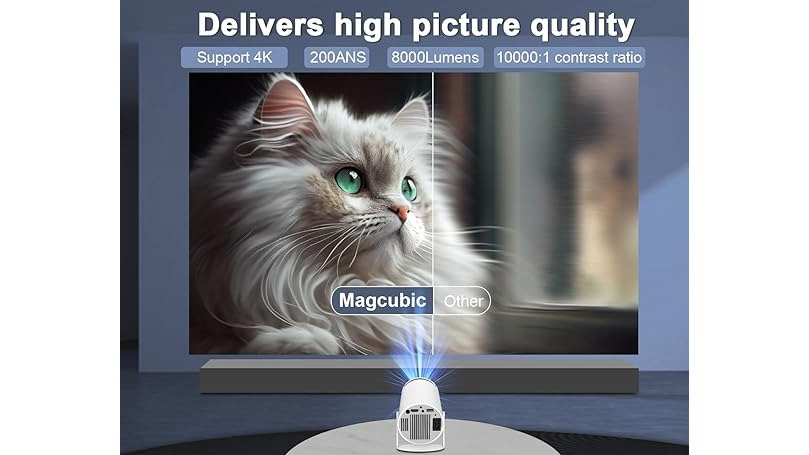
Placement is where this model separates itself. Auto horizontal correction and a 180-degree rotatable body let you aim at a wall or the ceiling.

Pros:
- Native 1080p with 4K support, the sharpest spec in this group
- Built-in Android 11 means no extra streaming hardware
- Auto horizontal correction and 180-degree rotation
Cons:
- The 4K label refers to supported input, not native 4K projection
Best for: movie lovers, gamers, dorm rooms, and backyard screenings. Skip if: you need a projector rated for bright, sunlit rooms.
You can see the full Mini 4K Smart Projector details on the product page before you commit.
2. Vista Pro HY300 Smart Home HD Projector: Best for Dim Rooms
The Vista Pro HY300 delivers 720p resolution at 1280 x 720, with 120 ANSI lumens of brightness and a 60W output. The listing describes it as clear and bright in dim lighting.
The white design is rated Level 1 for energy efficiency. It is available with American and European standard plugs.
Pros:
- Rated for dim-room viewing
- Energy-efficient Level 1 rating
- White design
Cons:
- 720p native resolution is the lowest sharpness tier here
Best for: dim-room viewing.
Check the Vista Pro HY300 specs and availability if a dark room is your setup.

3. Portable Small Projector: Best for Portability
The Portable Small Projector has a mini design with durable plastic construction, and its dimensions make it easy to store and transport. It projects at 720p and comes with a remote and connecting cables in the box.
It is available in multiple plug standards.
Pros:
- Compact mini design
- Includes remote and cables in the package
Cons:
- 720p resolution limits fine detail on very large screens
See the Portable Small Projector product page to confirm what is in the box.

Why a 1080p Projector Under $500 Still Makes Sense
A 1080p projector under $500 still makes sense because most streaming content and living rooms do not demand more.
Here is the distinction that trips people up. Native resolution is what the projector's chip actually displays. Supported resolution is what it can accept as input and downscale.
For a budget home theater projector, 1080p native plus solid streaming is a smarter spend than chasing a 4K label. The FTC guidance on advertising claims is clear that specs in ads must be truthful and non-deceptive, so read the fine print on resolution wording before you buy.
Native vs. Supported Resolution in Plain Language
Native resolution is the number of physical pixels the projector's imaging chip can display. Supported resolution is the largest input signal the electronics can accept and scale down to fit that chip.
A true 4K projector under $500 is essentially nonexistent; what you will find are 1080p and 720p native models that accept higher-resolution inputs. That is fine for most buyers, as long as you know which number you are getting.
Screen Size and Seating Distance: Where 720p and 1080p Diverge
Resolution only matters relative to screen size and viewing distance. The table below shows the screen sizes where each native resolution holds up at a typical 10-foot seating distance:
| Native Resolution | Comfortable Screen Size at 10 ft | Where It Starts to Soften |
|---|---|---|
| 720p (1280 x 720) | Up to about 80 inches | 90 inches and above |
| 1080p (1920 x 1080) | Up to about 120 inches | 130 inches and above |
| 4K (3840 x 2160) | Up to about 180 inches | 200 inches and above |
Viewers notice softness on 720p content once the screen passes roughly 80 inches at a 10-foot distance, while 1080p stays crisp to about 120 inches. If your room only fits a 70- to 80-inch screen, a 720p projector can look perfectly sharp, which is why the Vista Pro HY300 and the Portable Small Projector remain reasonable picks for smaller spaces.
What to Check Before You Buy
- Confirm the native resolution in the spec sheet, usually listed as a pixel count like 1920 x 1080 or 1280 x 720.
- Treat "4K support," "4K decoding," and "4K input" as input compatibility, not native output.
- Check the projector's scaling quality in owner reviews, since a good scaler can make 1080p content look clean on a 1080p chip.
For a budget home theater, native 1080p plus solid streaming is still the smarter spend than chasing a 4K label that the chip cannot deliver.
Projector Brightness for Home Theater: What Lumens Really Mean
Projector brightness for home theater comes down to one question: how much ambient light will the room have? Lumens measure light output, and the ANSI lumen standard is the figure to compare across models, because it is measured under consistent conditions rather than vendor-friendly ones.
Watch out: manufacturers sometimes quote "light source" lumens rather than ANSI lumens, and the two are not the same. If a spec sheet does not say ANSI, treat the number as a ceiling, not a guarantee. For a deeper explanation of how brightness is measured, the Projector Central guide to lumens and ANSI standards is a useful reference.
Brightness Targets by Room Type
A common pattern among budget projectors is that the ANSI lumen figure is the one that predicts real-world performance, while the marketing lumen figure is often two to four times higher. Here is how to translate that into a buying decision for the three room types most people have:
| Room Type | Ambient Light | Target ANSI Lumens | Screen Size Sweet Spot |
|---|---|---|---|
| Dedicated dark room (basement, windowless den) | Near zero | 100-300 ANSI | 100-120 inches |
| Living room with blinds closed | Low, controllable | 300-800 ANSI | 80-100 inches |
| Living room with windows open or lights on | Moderate to high | 800+ ANSI (rare under $500) | 60-80 inches |
A 720p projector rated at 120 ANSI lumens, like the Vista Pro HY300, looks its best on a 60- to 80-inch screen in a dark room. Push it to 120 inches and the image dims noticeably, because the same light output is spread over a much larger area. Double the screen diagonal and you roughly quadruple the screen area, so perceived brightness drops sharply.
Screen Size and Brightness Math
Every time you increase screen diagonal by about 40 percent, you need roughly double the ANSI lumens to hold the same perceived brightness. If a projector looks good at 80 inches, it needs about twice the lumens to look equally bright at 112 inches. That is why budget projectors are usually paired with smaller screens in brighter rooms and larger screens only in dark rooms.
What to Verify on the Spec Sheet
- Look for the word "ANSI" next to the lumen number. If it is missing, assume the real figure is lower.
- Check whether the brightness is quoted for the brightest picture mode. Many projectors hit their peak lumens only in a vivid mode that shifts color; cinema modes are often dimmer.
- Compare brightness at the same screen size. A 200 ANSI projector on a 60-inch screen can look brighter than a 400 ANSI projector on a 120-inch screen.
The FTC guidance on advertising claims is clear that specs in ads must be truthful and non-deceptive, so if a listing does not specify ANSI lumens, treat the number as a ceiling rather than a guarantee.
Projector With Built-In Streaming: Skip the Extra Stick
A projector with built-in streaming saves you money, cables, and one more remote to lose. The Mini 4K Smart Projector runs Android 11 with streaming apps included, so it can work as a standalone entertainment device. Power it on and connect to WiFi.
Wireless Phone-to-Projector Connection: Mirror in Seconds
A wireless phone-to-projector connection lets you mirror your screen without hunting for a cable, and the Mini 4K Smart Projector supports both iOS and Android mirroring. The steps are simple:
- Power on the projector and connect it to the same WiFi network as your phone.
- Open the projector's casting or mirroring menu.
- On iPhone, open Control Center and tap Screen Mirroring; on Android, use Smart View or Cast.
- Select the projector from the list and confirm.
- Rotate your phone to landscape for a full-screen image.
If the connection drops, check that both devices are on the same network band. WiFi 6 on the projector helps here, since it handles more devices with less congestion. Keep your phone within range and avoid thick walls between the two.
Frequently Asked Questions
What is the best home theater projector under $500?
For most rooms, the Mini 4K Smart Projector with WiFi 6 is the strongest pick at $144.09. It has 1080p native resolution with 4K support, built-in Android 11 streaming, WiFi 6, and auto horizontal correction. If you watch mostly in a dark room and want a simple setup, the Vista Pro HY300 at $211.67 is a solid alternative. For travel and quick setup, the Portable Small Projector at $176.59 is the lightest option.
Are projectors under $500 good for home theater?
Yes, if you match the projector to your room. A budget home theater projector works best in a dark or dim room with a blank wall or screen. The three LumBrook models here range from $144.09 to $211.67, all well under $500, and each covers a different use case: all-around streaming, dim-room viewing, or portability. The main trade-off is brightness, so control ambient light for the best picture quality.
Can a projector under $500 work in a bright room?
It can, but expect a washed-out picture. The Vista Pro HY300 lists 120 ANSI lumens, which is fine for dim lighting but not for a sunlit room. If you mostly watch at night or with blinds closed, brightness is less of an issue. For daytime viewing, a darker room or a shaded wall makes a bigger difference than any spec on the box.
Do projectors under $500 have built-in streaming apps?
Some do. The Mini 4K Smart Projector runs Android 11 with Netflix, YouTube, and Disney+ built in, so you do not need a laptop or streaming stick. The Vista Pro HY300 and Portable Small Projector rely on connected devices instead. Check whether a projector with built-in streaming matters to you before buying, since it saves a cable and a remote.
Can I connect my phone wirelessly to a projector?
Yes, on models that support it. The Mini 4K Smart Projector mirrors iOS and Android devices wirelessly over WiFi 6 and Bluetooth 5.0, so you can send video from your phone to the wall in seconds. A wireless phone-to-projector connection is handy for sharing photos, short clips, or a streaming app that is not installed on the projector itself.
The right budget projector comes down to matching the model to your room and how you watch. LumBrook stocks all three picks with straightforward product pages, quality-focused selection, and shipping across the country. Start with the Mini 4K Smart Projector for its native 1080p picture, built-in Android 11 streaming, and auto-correction setup, then browse the full home entertainment range. Get started with LumBrook and turn any wall into your personal cinema this year.


